
Las Vegas, Nevada, US
Instant SaaS UI Helper — Add an IntelPop to Any Screen
Posted 6 days ago · Pop #104
AI POP BUDDY
Chat with Mench.ai's AI BuddyThis Buddy represents Mench.ai and answers from the information deliberately provided for this Pop.
Thinking…
We brought your conversation with us. Keep going.
How should the Buddy feel?
Playful
Focused
Sparkling
Warm, lively, and naturally playful.
AI-generated responses and synthetic or cloned voice may be used with the publisher’s permission.
Meet This IntelPopAI-POWERED
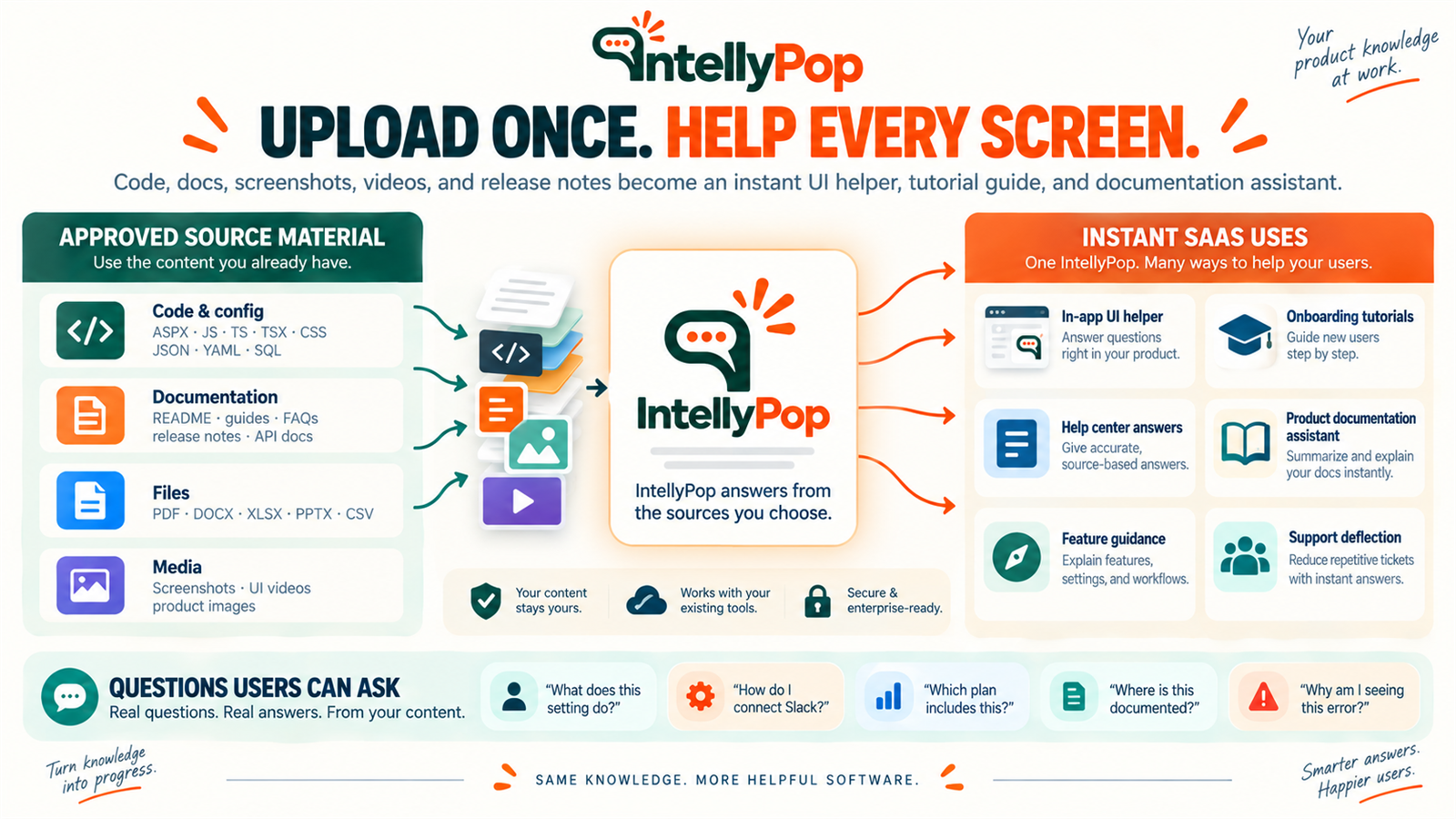
Turn any SaaS screen, feature, workflow, or settings page into an interactive help experience.
Create an IntelPop from the product knowledge you already have — documentation, source code, screenshots, tutorials, pricing, release notes, videos, FAQs, and sales material — then place it exactly where users need help.
Visitors can ask things like:
“What does this setting do?”
“Which option should I choose?”
“How do I configure this?”
“What plan includes this feature?”
“Why am I seeing this error?”
The IntelPop answers from the approved sources you give it and can guide the user toward permitted next actions, such as opening documentation, starting a workflow, contacting support, booking a demo, or upgrading.
Deploy it inside your product, through a tag manager, on a help page, in an onboarding flow, or alongside a specific feature.
Unlike a generic chatbot, each IntelPop can represent the exact screen, feature, workflow, campaign, or buying decision where the question happens.
You can also measure what users ask, what causes confusion, which source answered the question, and what users do next.
Your software already has the knowledge.
IntellyPop puts it where the question happens.
Create an IntelPop from the product knowledge you already have — documentation, source code, screenshots, tutorials, pricing, release notes, videos, FAQs, and sales material — then place it exactly where users need help.
Visitors can ask things like:
“What does this setting do?”
“Which option should I choose?”
“How do I configure this?”
“What plan includes this feature?”
“Why am I seeing this error?”
The IntelPop answers from the approved sources you give it and can guide the user toward permitted next actions, such as opening documentation, starting a workflow, contacting support, booking a demo, or upgrading.
Deploy it inside your product, through a tag manager, on a help page, in an onboarding flow, or alongside a specific feature.
Unlike a generic chatbot, each IntelPop can represent the exact screen, feature, workflow, campaign, or buying decision where the question happens.
You can also measure what users ask, what causes confusion, which source answered the question, and what users do next.
Your software already has the knowledge.
IntellyPop puts it where the question happens.
Websitehttps://intellypop.com
Approximate location
The marker shows the general area, not necessarily an exact address.